
Connectify Hotspot Features
Easily Create a Wi-Fi Hotspot and Connect all your Devices to the Internet
Just give your Hotspot a name and password, and you’re ready to go. Connectify Hotspot isn’t just the world’s most powerful hotspot software, it’s the easiest, too. Just give your Hotspot a name and password, and you’re ready to go.
Share Any Type of Internet Connection
Connectify Hotspot lets you easily turn your PC into a Wi-Fi Hotspot so you can share Internet with all your devices. Turn a wired connection into Wi-Fi at the click-of-a-button and even share an existing wireless network as Wi-Fi.
Upgrade to Hotspot PRO or MAX and share your 4G LTE or 5G networks, too, and also share the Internet connection via wired Ethernet.
Pro Tip: You can even protect the online privacy of all your devices by sharing a VPN connection via Wi-Fi with Connectify Hotspot.
Read more here >>
Bypass Device Restrictions when Connecting to the Internet
Connectify Hotspot makes the Internet traffic look like it's all coming from your computer—even if it’s coming from connected devices, like other computers, gaming consoles, smartphones, or smart TVs. This way, you will be able to connect all your devices to the Internet without having to worry about any Internet access restrictions.
Pro Tip: Having issues with strict NAT type on your gaming console? Use Connectify Hotspot's Gaming Mode with Speedify to get a Moderate NAT type.
Read more here >>
Enjoy Safe and Secure Sharing
Your Hotspot is automatically secured with WPA2-PSK encryption, just like a conventional router. That means, all users get the safest and most secure Wi-Fi sharing experience available.
Monitor Network Usage By Device
Enjoy real-time graphs for monitoring how much data your various connected client devices are using at a glance.
Multi-Language, Emoji, and Unicode Support
Connectify Hotspot is available in 10 languages! In addition, your hotspot name (SSID) can now include Unicode characters as well as Emojis!
Ad Blocking for Client Devices
Connectify Hotspot includes a universal Ad Blocker to prevent annoying and unwanted ads from displaying on devices that join your hotspot! It can even block in-app ads on iPhones, iPads, and Android mobile devices.
Pro Tip: Save up to 50% in web traffic and page load time by using the Connectify Hotspot DNS-based ad blocker. Plus - get rid of annoying in-app ads!
Read more here >>

PRO & MAX Features
Go PRO or MAX to enjoy increased flexibility and more sharing options
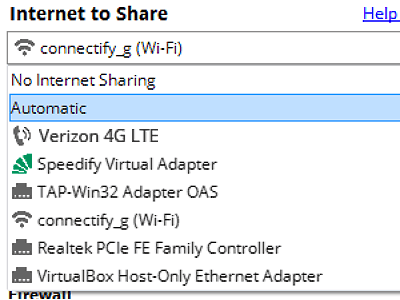
Share Internet from 4G or 5G Networks (PRO & MAX)
Connectify Hotspot PRO and MAX let you easily share the Internet connection from your 4G LTE or 5G mobile broadband device. This means you can share your family data plan with friends, coworkers, and all your other Wi-Fi enabled devices.
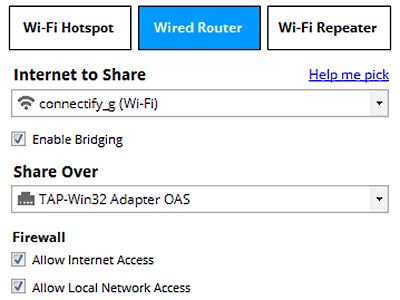
Get Ethernet-only Devices onto Wi-Fi (PRO & MAX)
In Wired Mode, Connectify Hotspot PRO and MAX let you share your computer’s Wi-Fi connection via Ethernet so that older gaming consoles, computers, and any other Ethernet-only device can get online.
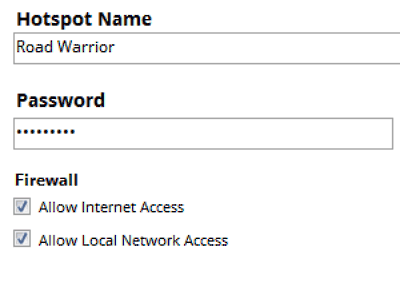
Custom Hotspot Naming (PRO & MAX)
All premium versions of Connectify Hotspot let you broadcast a totally custom name (SSID) for your Hotspot.
Get MAX to unlock all of Hotspot’s amazing extended features
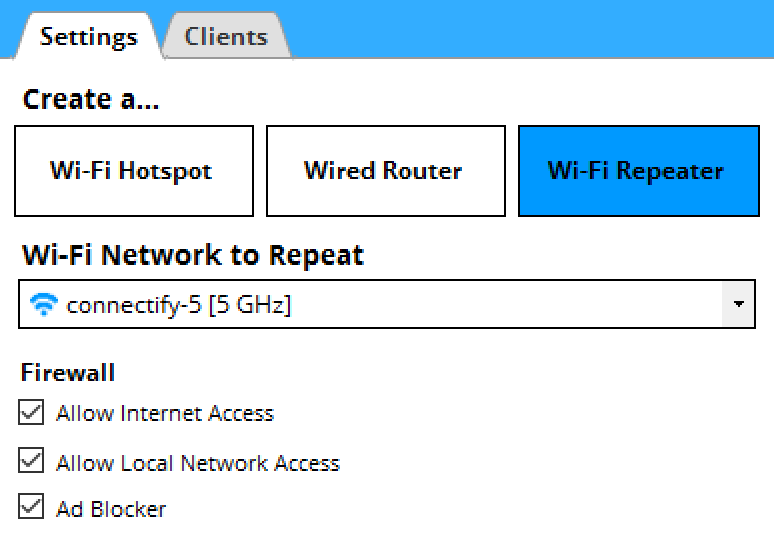
Wi-Fi Repeater Mode (MAX)
Hotspot MAX is the only virtual router software that gives you a real Wi-Fi Repeater so you can extend the range of your home or office Wi-Fi. Your main Wi-Fi connection sees all the devices connected to your Hotspot so you can play console games, share files, and stream content across the network.
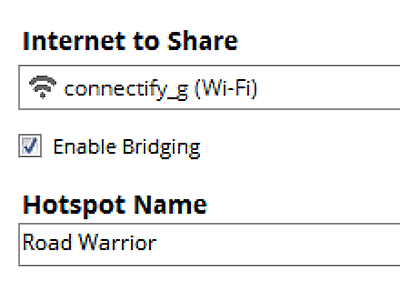
Bridging Mode (MAX)
With Bridging Mode enabled, your Hotspot MAX connects devices on your Hotspot directly back to the network you’re broadcasting. This powerful feature gives you the power to share across your home network and ensures compatibility with many game consoles like Playstation and Xbox.
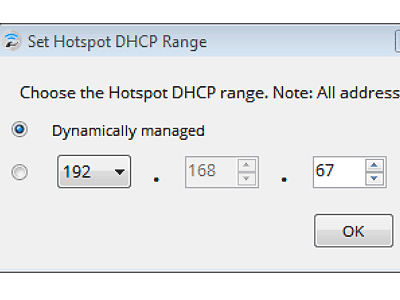
Custom IP and DHCP Controls (MAX)
By default Connectify Hotspot automatically chooses an available IP so you don’t have to worry about configuration. For power users that want more control over their hotspot, Custom IP and DHCP controls ensure that particular devices connect on a user-specified IP range within the industry-accepted private IP addresses domains (classes A, B and C).
Upgrade to Hotspot PRO or MAX Lifetime
|
Hotspot
|
Hotspot PRO
|
Hotspot MAX
|
|
|
Share Internet from WiFi Networks
|
|
|
|
|
Share Internet from Ethernet Networks
|
|
|
|
|
Share VPN connections via WiFi
|
|
|
|
|
Real-time Network Usage Monitoring by Device
|
|
|
|
|
Emoji and Unicode Support in Hotspot Names
|
|
|
|
|
Ad Blocking for Connected Clients
|
|
|
|
|
Dark Mode
|
|
|
|
|
Share Internet from 4G & 5G Networks
|
|
|
|
|
Unlimited Hotspot Uptime
|
|
|
|
|
Custom Hotspot Naming
|
|
|
|
|
Firewall Controls for Connected Devices
|
|
|
|
|
Wired Router Mode
|
|
|
|
|
WiFi Repeater Mode
|
|
||
|
Bridging Mode
|
|
||
|
Custom DHCP and IP Controls
|
|